
Remove Text from Image Online Free

Easily remove text from images online for free with PhotoCat AI text remover. Erase words, letters, or handwriting in seconds while keeping photos natural and clear. Restore every picture effortlessly with a few simple clicks.
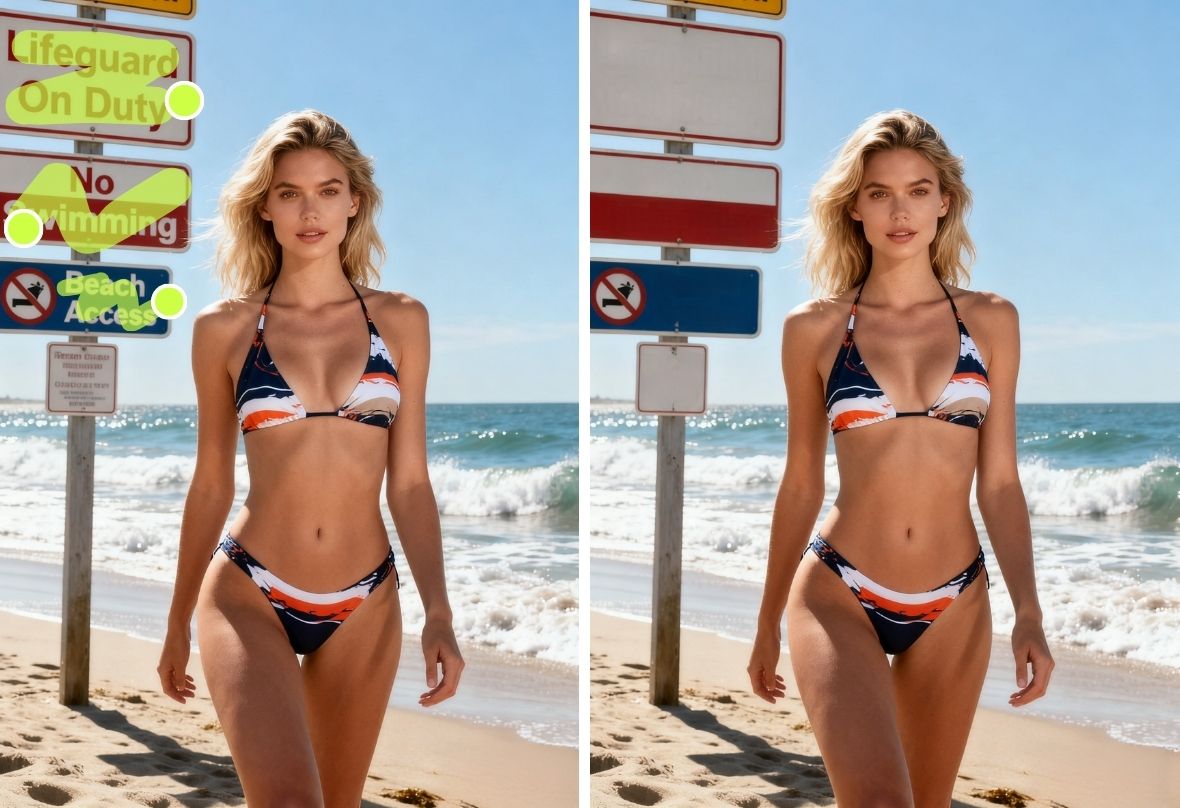
PhotoCat Remove Text from Image
Drag and drop Image here
IosIos
GoogleGoogle
PhotoCat Remove Text from Image

Erase Words Instantly with AI Text Remover

With PhotoCat AI text remover, instantly clear unwanted text from any photo. Whether it’s a random word on a wallpaper, a caption on a social media screenshot, or store signs and street names in your travel shots, this smart online tool works automatically and precisely, making clean edits simple, fast, and completely free online.
PhotoCat Remove Text from Image

Spot and Remove Text Precisely & Automatically

Editing a graduation photo and want to erase a date stamp or random text? With PhotoCat AI remover, multiple text or icon areas are detected automatically, saving you time. Deselect any areas you want to keep, or switch to manual mode and adjust the brush size for precise text removal while keeping photos clear.
PhotoCat Remove Text from Image

Clear Sensitive Letters to Protect Privacy

Sometimes personal photos include details you don’t want to share, like a friend’s license plate in the background of a street shot or a name tag visible in a casual selfie. PhotoCat AI remover quickly detects and erases sensitive words. Refine selections or switch to manual mode to keep your photos natural while protecting privacy.
PhotoCat Remove Text from Image

Delete Writing while Backdrop Stays Flawless

Travel selfies often capture stunning scenery like beaches, landmarks, or city streets, but unwanted signs or text can distract from the moment. With PhotoCat AI remover, you can erase words while preserving background details, keeping skies, buildings, and landscapes natural so your travel photos remain authentic and ready to share.
PhotoCat Remove Text from Image

Remove Text from Image Online for Free

Whether it’s selfies from a meetup, birthday photos, or casual coffee shots, unwanted text can ruin the moment. With PhotoCat AI remover, you can quickly and freely erase text online without downloading any app, keeping your photos clean, polished, and ready to post instantly.

How to Remove Text from an Image

Upload a Photo

Drag and drop or select a photo from your device.

Select the Text Area

AI highlights text areas automatically. Adjust selections or tap the highlighted areas for text you want to remove.

Let AI Clean It

Tap the button to remove text automatically. Once it’s done, you can instantly download or save the clean photo to your device.

PhotoCat Remove Text from Image

FAQs

What are the advantages of PhotoCat vs Photoshop?

PhotoCat is faster and simpler. No complex layers or skills required. It lets you remove text from images online free in seconds, with no installation.

How to remove text from image without removing background?

PhotoCat AI seamlessly restores the area, so text is removed while the background stays intact.

What kind of text can I remove?

You can remove words, logos, dates, handwriting or any text in photos. PhotoCat AI image text remover handles all these cases.

Where is the AI Text Remover in PhotoCat?

In the PhotoCat online editor, click on "online tools," select "AI Text Remover,” then upload any picture you want to edit. You can instantly get a clear, text-free photo

Can I remove text from an image for free?

Yes, PhotoCat AI Text Remover is completely free to use. The online version lets you remove text up to 3 times per day at no cost.

Will the photo look edited after using the tool?

No. Advanced AI restores the area naturally, ensuring a seamless, realistic result.
Call to Action

Remove Text Now with AI Tool

Try PhotoCat AI text remover today! Upload your photo and get a clean, text-free image in seconds, completely free.