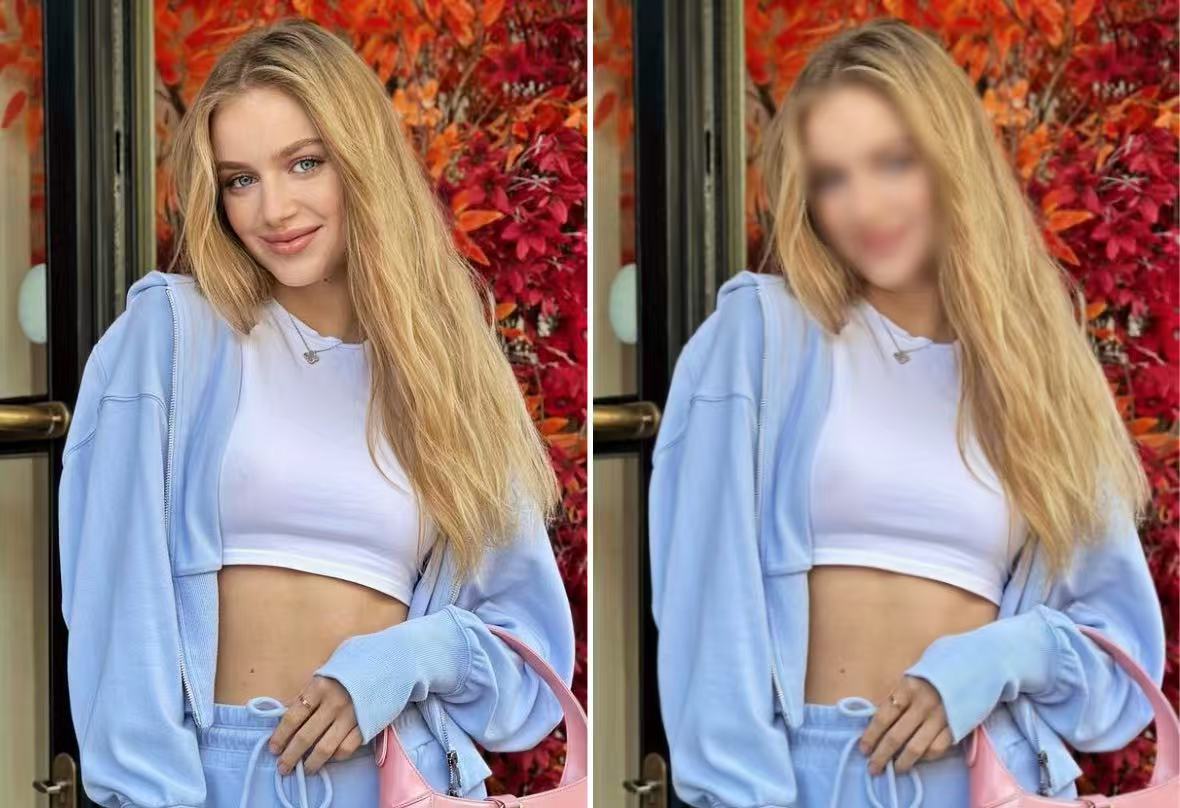
Blur Face Online Free | PhotoCat AI Face Blur Tool for Photos

Blur faces in photos online free with PhotoCat AI face blur tool. Protect privacy, apply face blur effect instantly, and anonymize multiple faces automatically.

PhotoCat AI Face Blur
Drag and drop Image here
IosIos
GoogleGoogle
PhotoCat AI Face Blur

AI Auto Face Detection for Face Blur Online

The PhotoCat face blur tool detects faces automatically and applies blur in seconds. No need to trace or select manually—just upload your photo and let the tool handle the rest. It is fast, accurate, and ideal for protecting privacy in portraits, group shots, or everyday pictures.
PhotoCat AI Face Blur

Draw and Refine with Manual Tools

Automatic results save time, but precision is sometimes needed. With manual tools, you can draw over areas, remove blur where you want details visible, or target specific features. This gives you full control for family photos, ID images, or social posts.
PhotoCat AI Face Blur

Adjustable Blur Intensity with Real-Time Control

See changes as you edit. The PhotoCat face blur effect updates in real time while you draw or adjust the slider, showing immediately whether the result is softer or more intense. From a light Gaussian blur to a heavy mosaic mask, you can control exactly how much detail is hidden as you work.
PhotoCat AI Face Blur

Variety of Face Blur Effects to Match Any Style

Go beyond a simple blur by choosing from creative styles such as Flare, Dynamic, or Mosaic. Use a soft Flare for a natural look when sharing casual photos, apply Mosaic for maximum privacy in official documents, or try Dynamic effects to add a bold artistic touch for social media posts. Each option ensures your faces stay protected while matching the tone of your photo.
PhotoCat AI Face Blur

Customizable Blur Shapes for Flexible Edits

You’re not limited to preset templates. Use freehand drawing with the PhotoCat face blur tool to creatively cover irregular areas or add unique shapes like triangles, stars, or hexagons. This flexibility lets you protect privacy while keeping your edits natural and personalized.

How to Blur Faces in Photos?

Upload Your Image

Upload a photo directly from your device. The face blur tool will automatically detect and blur faces instantly.

Adjust the Blurred Face

If you want more control, use manual tools to refine the blurred areas. You can adjust the blur intensity and try different blur effects for the best result.

Download Your Image

Once satisfied with the blur effect, click the download button to save your edited photo quickly and securely.

PhotoCat AI Face Blur

FAQs

How to blur a face in a picture?

Upload your image to PhotoCat and let the AI automatically detect and blur faces. You can refine the result manually and download the edited photo instantly.

Is blurring face secure?

Yes. Blurring hides sensitive details and protects your privacy. PhotoCat works online without storing your images, so your edits remain safe.

How to blur a picture?

Simply upload your photo to PhotoCat, then apply a blur effect to faces, license plates, text, or the entire background. You can adjust the blur intensity and style for full control.

Efficient way to blur faces on mobile?

Download the PhotoCat mobile app. It offers the same AI-powered features as the desktop version, letting you blur faces quickly and securely from your phone.

Any tips for blurring faces effectively?

Use stronger blur intensity for maximum anonymity. Combine automatic AI detection with manual refinements to ensure every face is fully covered.

Can I remove a blur from a face once applied?

Yes. While editing in PhotoCat, you can delete a blur by clicking the (x) button on the blurred face. A reload button will appear, letting you restore the blur instantly if needed. Once you export and download the photo, the blur becomes permanent, so it’s best to make all adjustments before saving.

How to blur a face in a video?

Currently, PhotoCat is designed for photo editing. For video face blurring, use specialized video editing software or mobile apps.
Call to Action

Try PhotoCat Face Blur Free Today

Sign up in seconds and start with free credits to blur faces online. Upload your photo, apply effects, and save securely. Fast, easy, and free to try.