Blur Background

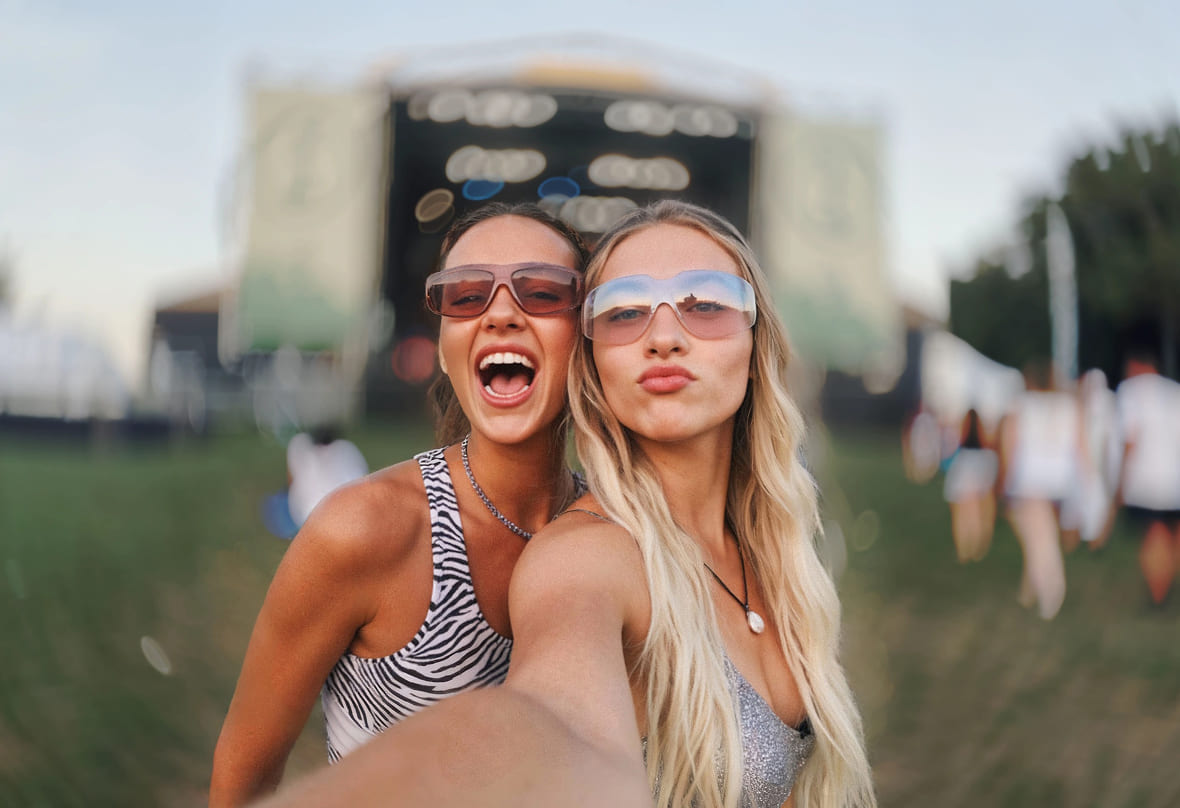
Effortlessly blur background of your images. 5 different blur effects available, no costs or downloads required.


PhotoCat Blur Background
Drag and drop Image here
IosIos
GoogleGoogle
PhotoCat Blur Background

AI-Powered Automatic Background Blur

PhotoCat Blur Background AI detects the objects in your image automatically and separates them from the background precisely. That way, the blur will only be applied to the backdrop of the image. PhotoCat also supports manual brushing if you would like to alter the blur area.
PhotoCat Blur Background

Blur Background with Adjustable Intensity

You may easily adjust the intensity of the blur effect to fit your artistic vision. Whether you want a dramatic portrait-style look or a gentle backdrop fade, the intensity of the blur is under your control. The smart rendering ensures results look realistic, comparable to photos taken by a professional DSLR camera.
PhotoCat Blur Background

Versatile Blur Effects Available

PhotoCat Background Blur offers 5 blur effects to fit any aesthetic or purpose. You can add a motion blur to capture the excitement of sports shots, a dreamy bokeh effect to create a romantic vibe, or a soft Gaussian blur to smooth out the backdrop. Each blur effect gives your image a different look and feel.
PhotoCat Blur Background

Blur Background Free Online

Blurring backgrounds with PhotoCat is completely free and doesn’t require any downloads. You can start using the blur background tool online instantly. Just drag and drop your image to upload, then tap to apply the blur effect directly in your web browser. The background blur tool works smoothly on any device.
PhotoCat Blur Background

Make Photos Artistic with Blur

Easily give any photo a professional, artistic vibe with no fancy gear or skills needed. Just add background blur to focus on your subject and soften the rest. It works great for everything from product shots and ads to portraits, exhibition photos, and social media posts.

Popular Background Blur Effects

Gaussian Blur
Motion Blur
Pixel Blur
Radial Blur

Highlight Subject with Gaussian Blur

PhotoCat Gaussian Blur effect allows you to create a soft, natural-looking backdrop that truly highlights your subject in image. Ideal for portraits, product shots, or any photo where you want to draw attention to the main subject.
PhotoCat Blur Background

Add Dynamic Energy to Your Photos

Motion Blur creates a dynamic streak to your background, simulating movement and energy. It’s perfect for action shots, sports photography, and any images where you want to portray speed and excitement.
PhotoCat Blur Background

Hide Background to Protect Privacy

Transform backgrounds into chic blocks of color, concealing details while adding a playful, artistic edge. Whenever you want to protect privacy, create retro or abstract visuals, this blur effect will be the best choice.
PhotoCat Blur Background

Focus Attention with a Zooming Effect

Radial blur gives your background a dynamic look by generating a zoom or spin effect. It helps to draw attention to the center of your image when you want to impress your audience in ads or social media posts.
PhotoCat Blur Background

How to Blur Background on a Picture?

Upload the Image

To blur the backdrop of an image in PhotoCat, drag and drop it.

Select Blur Effects

Choose the blur effect and settings you want. The AI will apply the blur automatically after detecting the backdrop. You can choose the background manually using a brush if you'd like.

Download and Save

Download and save the completed image to your device.

PhotoCat Blur Background

User Reviews

Dawn T.
“It was quick and easy to blur the background of my headshots. I take photos from home and didn’t have a suitable backdrop. This blur effect saved me a lot of time and made my headshots look professional for my LinkedIn.”
Nathan L.
“Used the motion blur on some client images and it made them pop! Really captured the vibe my client wanted. Bonus: totally free and no downloads needed! Super convenient!”
Ernie K.
“Some pics from my recent shoot looked awesome, but the background was kinda grainy. Used PhotoCat’s Gaussian blur and it smoothed everything out perfectly. The foreground and background blend super naturally now. Love it!”

FAQs

How can I blur the background of a photo already taken?

Use the Background Blur tool on PhotoCat. Simply upload your photo and choose a blur effect to apply instantly.

How do I blur the background of a photo on my iPhone?

Try the PhotoCat Background Blur on your iPhone. Upload your photo from your iPhone and tap to apply the blur effect.

How do I apply the motion blur effect?

Does the blur look realistic?

Can I control the intensity of the blur effect?

Call to Action

Blur Image Background Now

Instantly blur the background of a photo online with no download.