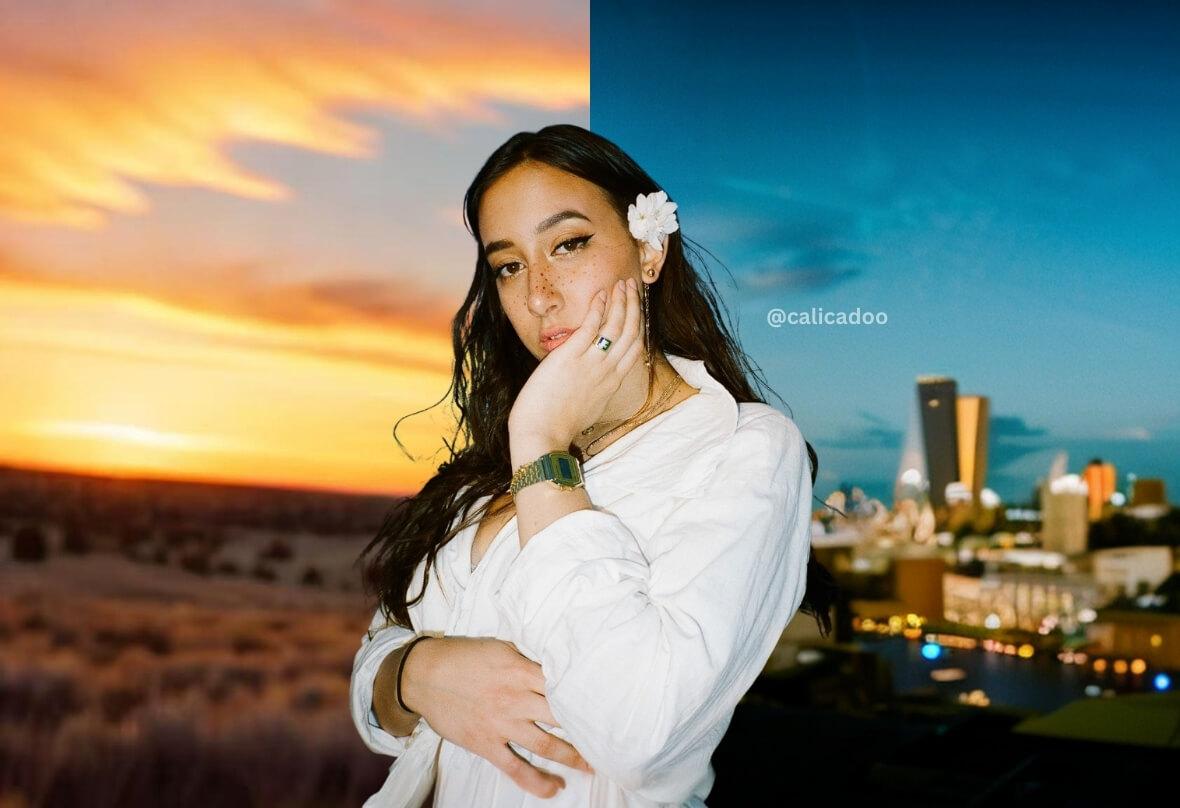
Change Background Online Free

Quickly change background on any photo, adjust background colors, and personalize your background online.


Change Background with BeautyPlus
Drag and drop Image here
IosIos
GoogleGoogle
Change Background with BeautyPlus

Automatically Change Background with AI

You do not need any special design skills or software to change the background of photo automatically with AI. PhotoCat simple online background changer accurately detects the background and separates it from objects in the image. No manual selection is needed.
Change Background with BeautyPlus

Remove Background to Transparent PNG

PhotoCat Background Changer lets you get rid of the background completely if you want. You can generate a PNG with a transparent backdrop just by tapping to remove. Download the PNG image and it will be ready to use in websites, design projects, and more.
Change Background with BeautyPlus

Edit Background Photo with Preset Templates

Quickly find the perfect replacement background for your image. PhotoCat Background Changer includes an extensive library of background preset images and styles. Choose the one you want, and tap to apply it to your image. Experiment with different backgrounds to achieve different effects.
Change Background with BeautyPlus

Replace Background with Your Own Image

Already have a background you want to use in your image? You can upload the image you want to edit, as well as the custom background image. PhotoCat background editor will replace the original background in your image with the custom background you have provided.
Change Background with BeautyPlus

Instantly Change Background Color

Automatically fill the background of your image with a solid color, or use PhotoCat to switch between one solid background color and another. Simply select the color you want to use, and tap to apply. The AI will fill the background with the color, preserving precise, natural edges for foreground subjects.

Change Background for Anything You Do

Headshots
Logo
E-commerce
Banner
ID Photos

Professional Background for Headshots

Change background in a personal portrait with a clean, professional setting or a solid color to create the perfect headshot for your resume, LinkedIn, or other social media pages. PhotoCat background changer will ensure a seamless blend with the new environment to give the appearance of an unaltered photo.
Change Background with BeautyPlus

Clean Background for Logos

Logos stand out best on clean backdrops. Use PhotoCat Background Changer to add a plain background to your logo in any color. You can also use it to remove the background so you have a logo on a clear backdrop. The AI carefully preserves the edges of your logo to ensure smooth, clean lines.
Change Background with BeautyPlus

Custom Backdrop for Product Images

Make it easy for customers shopping in your e-commerce store to see what they’ll be getting by generating clear product photos on plain white backgrounds or other simple styles. High quality product photos on clean backgrounds can enhance the appeal of your products and make it easier for customers to see their details.
Change Background with BeautyPlus

Replace Banner Backgrounds

Make your brand message stand out on the banner for your website, e-commerce store, or social media page. Try out different background colors, or upload a custom banner background. Find the perfect background to ensure legible text and coherence with your brand, then apply it with a tap.
Change Background with BeautyPlus

Change Backgrounds for ID Photos

If you need to take a photo for a passport, ID card, driver’s license, visa application, or work permit application, you probably will need one with a plain background. Use PhotoCat background editor to replace a busy, distracting background with one that complies with the rules for your application.
Change Background with BeautyPlus

How to Change Background in Photo?

Upload the Photo

Upload the photo you want to change background to PhotoCat.

Replace the Background

Choose a template or color option from PhotoCat’s options, or upload your own custom background image. Tap to apply.

Download and Save

Download the finished image and save it to your device for later use.

Change Background with BeautyPlus

User Reviews

Malcolm T.
“I use PhotoCat to change the image background for each of my product photos before I upload them to my store. It’s saved me so much time versus setting up a backdrop and trying to perfectly control conditions for photoshoots.”
Audrey Q.
“I needed to submit a passport-sized photo for a visa application. I was able to just shoot a photo myself at home, and then use PhotoCat Background Changer to switch the backdrop to plain white. They accepted it, and my application was approved.”
Jorje R.
“PhotoCat made it really fast and easy to prepare a new headshot for my LI page when I started my job search this year. I was able to switch out the background from a vacation photo with an office setting, and it came out looking great.”

FAQ

Can the background changer tool accurately replace a complex, detailed background?

Yes, the background editor uses sophisticated AI to accurately detect a complex, detailed background, separating it from the foreground. It selects it automatically so you can replace it with a single tap.

Can this background changer generate transparent PNG backgrounds?

Yes, you can make an image transparent using PhotoCat background change tool. Just choose the option for a transparent background, and tap to apply. The AI will keep the foreground elements opaque and make the background see-through.

Can I upload a custom background image?

Yes, you can change the photo background to a custom background. Upload the image you want to change along with the custom background image, then tap to apply.

Can I enhance the image quality after I replace the background?

Yes. After you edit the background of the image, you can use PhotoCat image enhancer to improve image quality.

What image formats can I upload?

You can upload PNG, JPG, WBEP and JPEG images to PhotoCat.

Is PhotoCat Background Changer free to use?

Yes, PhotoCat Background Changer is free to use. You receive 5 free credits a day when you log in.

Are there ads or watermarks for PhotoCat Background Changer?

The PhotoCat Background Changer tool does not show you ads. It also does not add watermarks to your images when you edit the background.